

Karelia Tickets
Sell event tickets from Statamic with Stripe
Sell tickets on your own event pages, take the money straight into your own Stripe account and check people in with a phone. No per-ticket fees to a ticketing platform.
Statamic 6Free to try locally
Listing on the Statamic Marketplace: coming soon.
What it does
Most Statamic sites that run events send their visitors to a ticketing platform to buy, which takes a fee on every paid ticket and puts its own brand between you and your audience. Karelia Tickets sells them on your own event page instead.
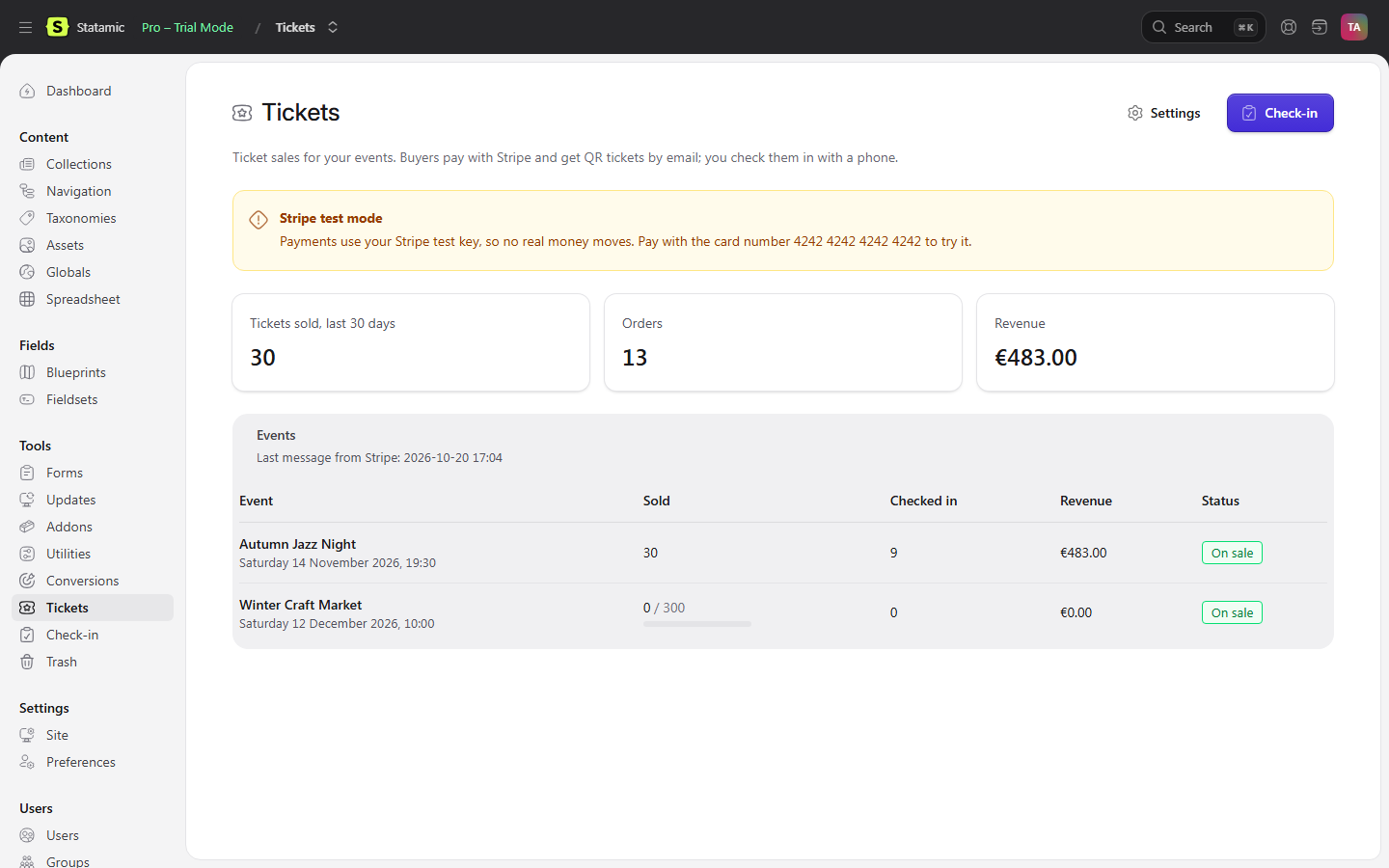
Add ticket types to an event in the Control Panel, put one tag in the template, and buyers pay on Stripe Checkout with cards, Apple Pay and Google Pay. They get QR tickets by email at once. At the door, staff open the check-in page on a phone and scan. Sales, orders, refunds and the attendee list are under Tools, and the money goes straight to your Stripe account.
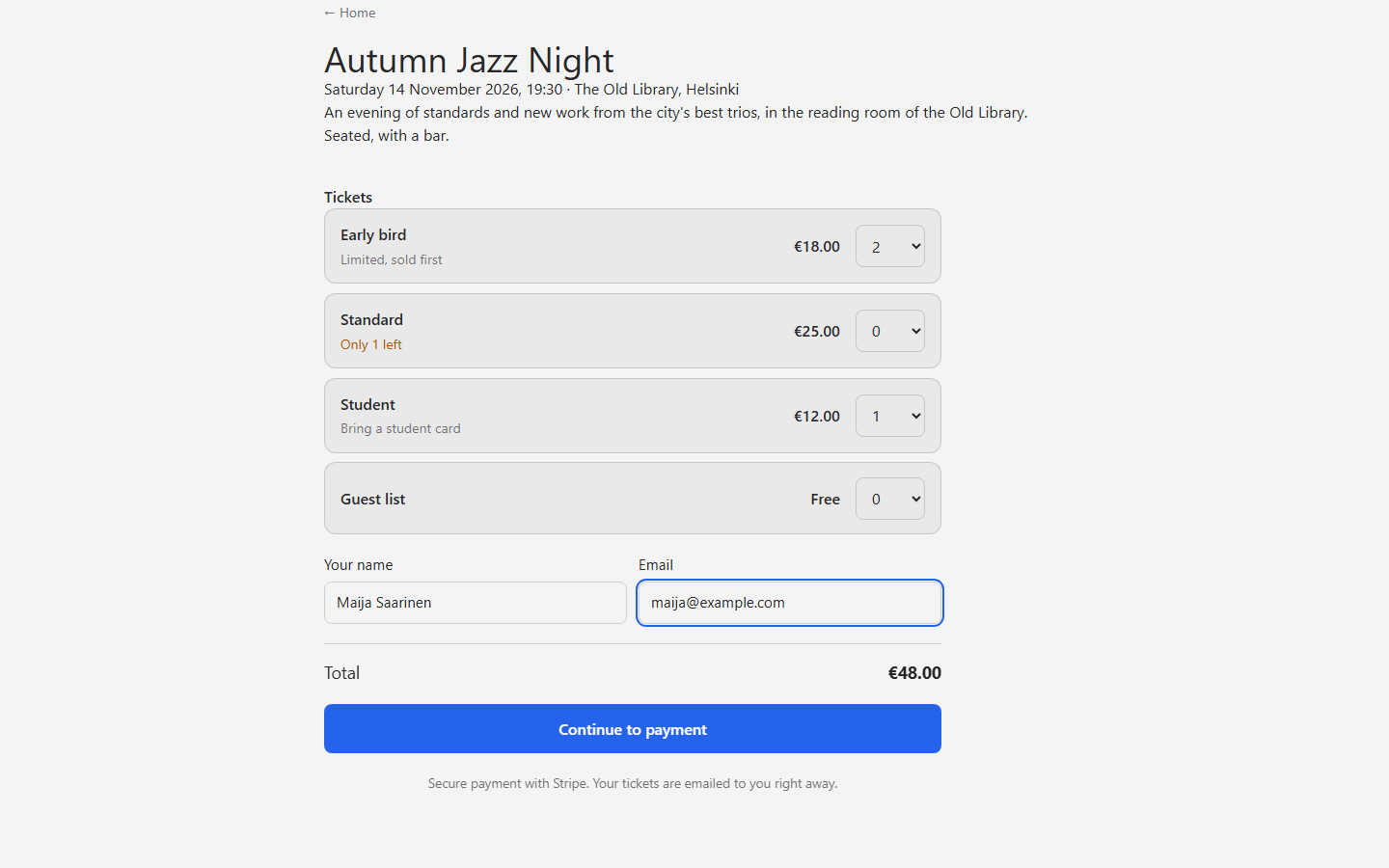
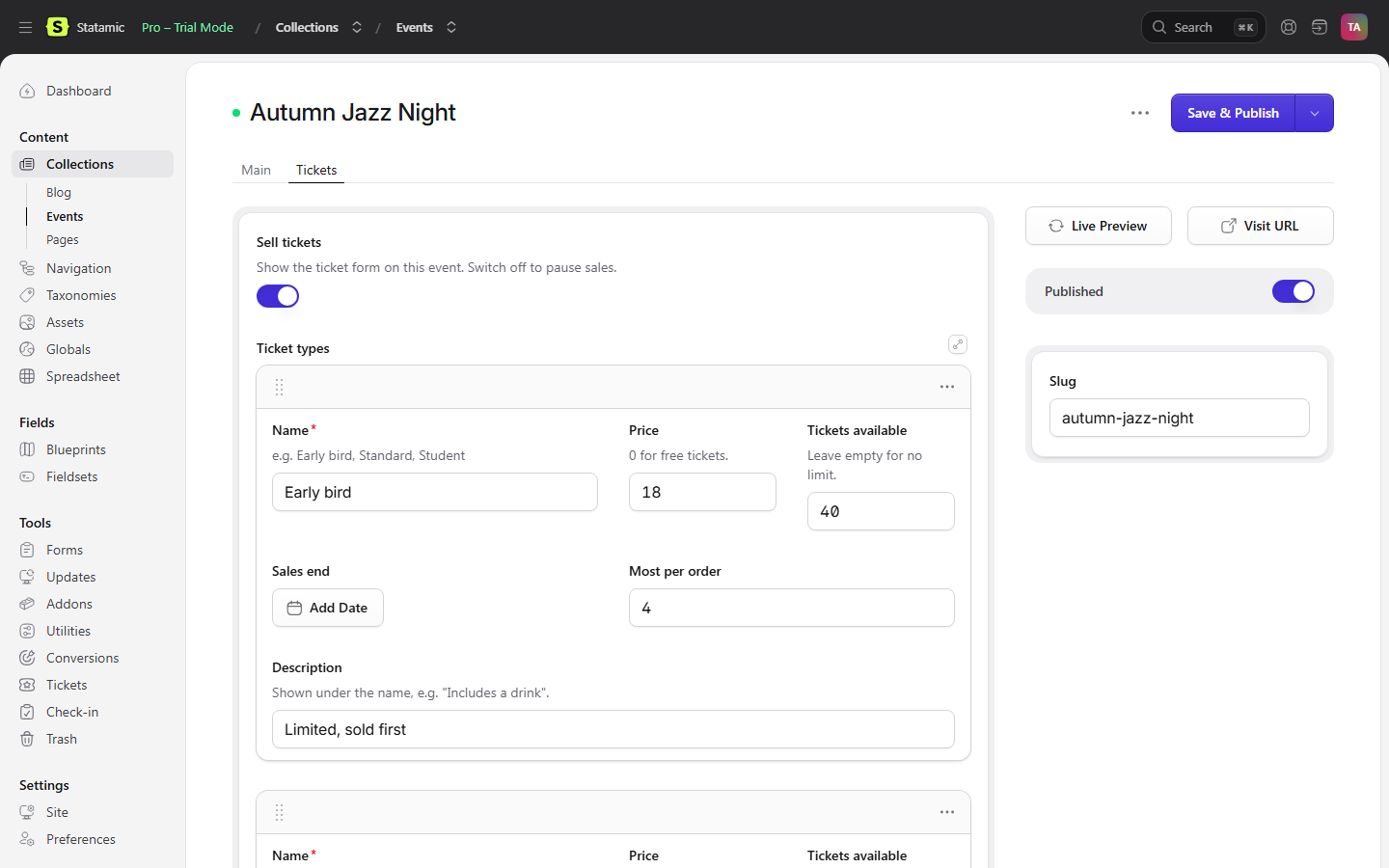
Ticket types per event
Early bird, standard, student or a free guest list, each with a price, how many there are, when sales end and the most per order. Free events work without Stripe.
Stripe Checkout
Cards, Apple Pay, Google Pay and the other methods you switch on in Stripe, straight into your own account. Bank payments that arrive days later keep their tickets until they do.
Never sold twice
Tickets are held while the buyer pays and go back on sale if they give up. The last seat cannot be sold to two people at once.
QR tickets
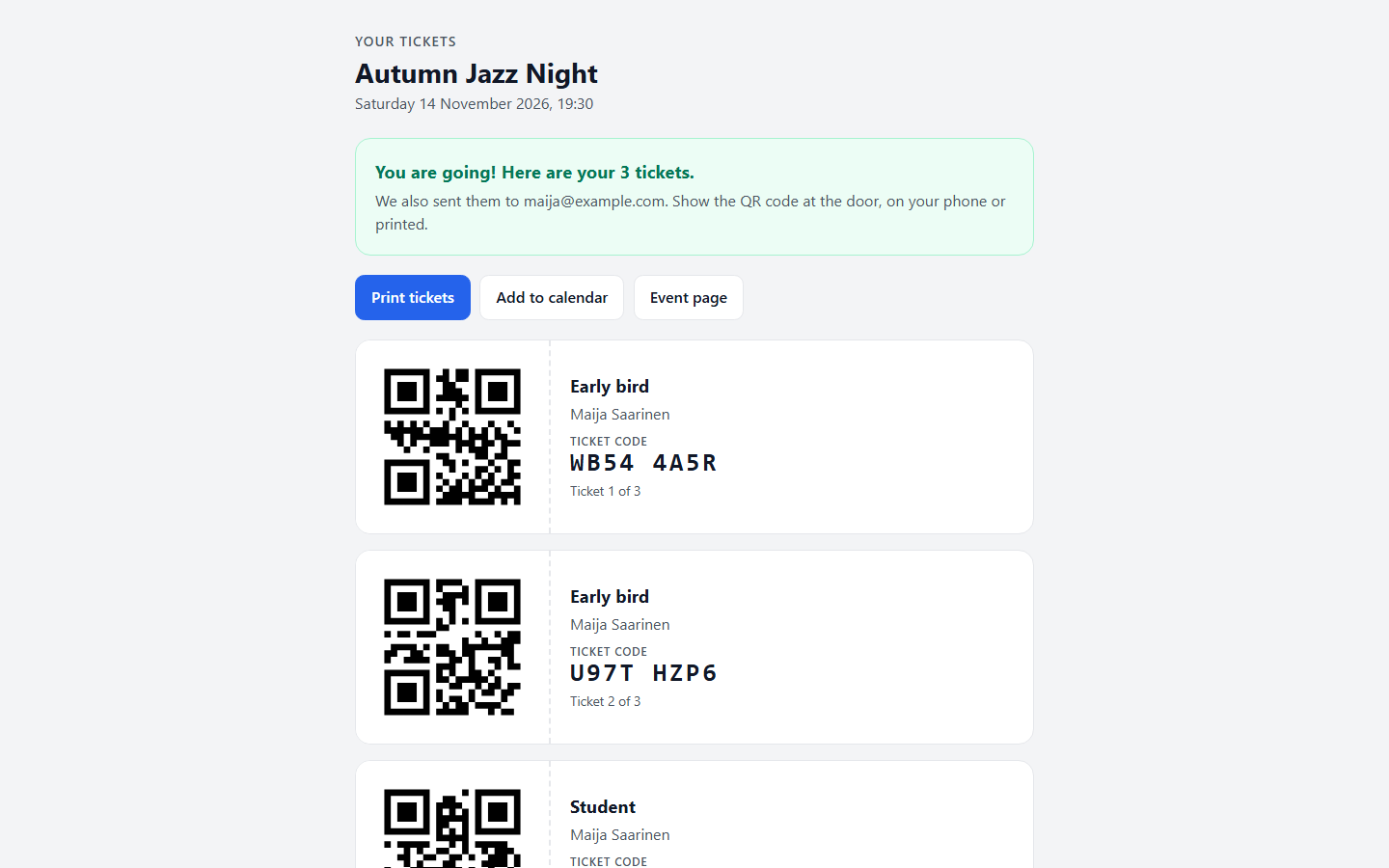
A printable ticket page with a QR code per ticket, an email with the codes and a calendar file. Codes avoid letters that look alike.
Check-in on a phone
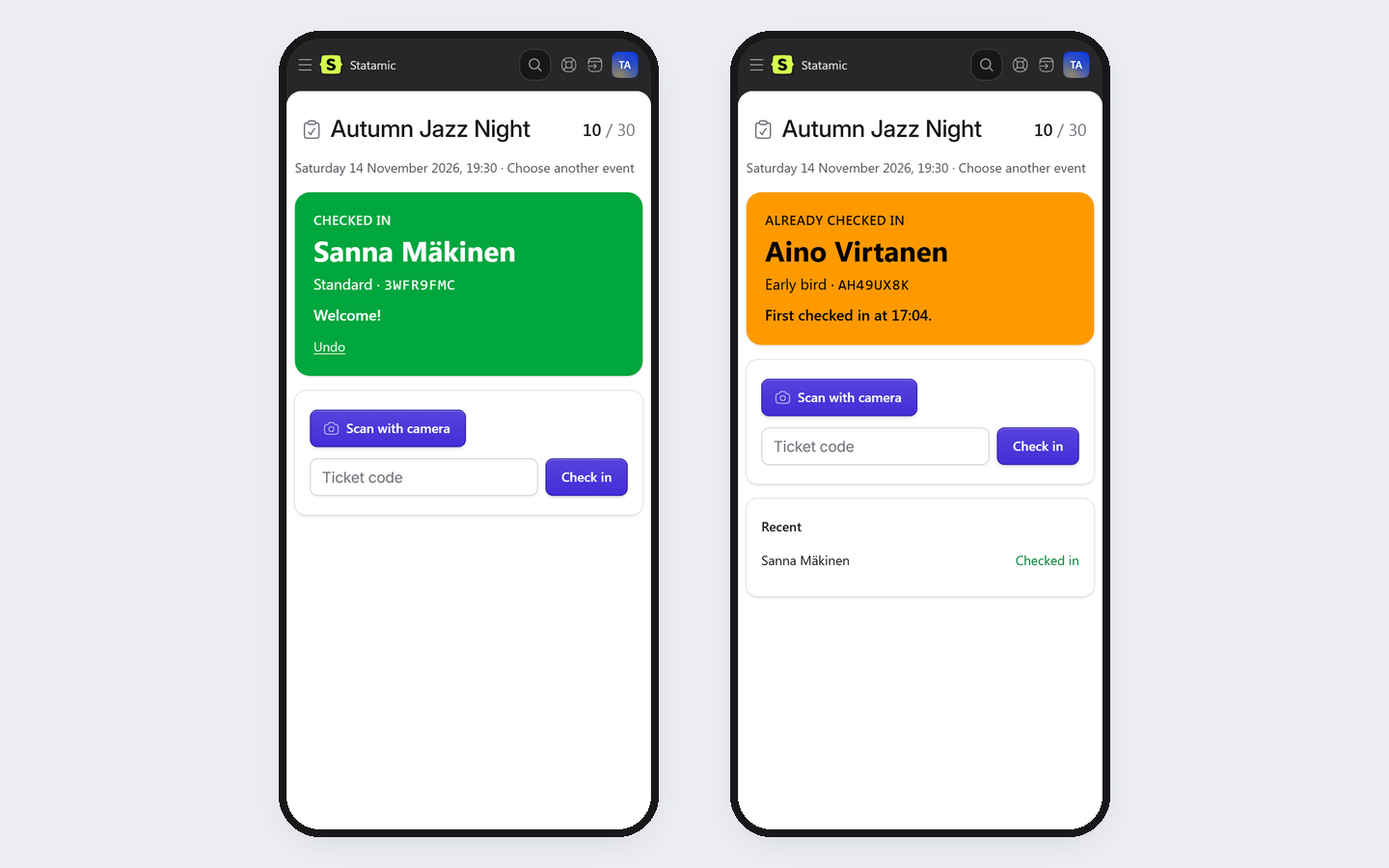
Scan with the camera or type the code. Each ticket gets in once, with undo, and several staff can scan at the same time. Door staff can have a role that sees only the check-in page.
Run the sale from the Control Panel
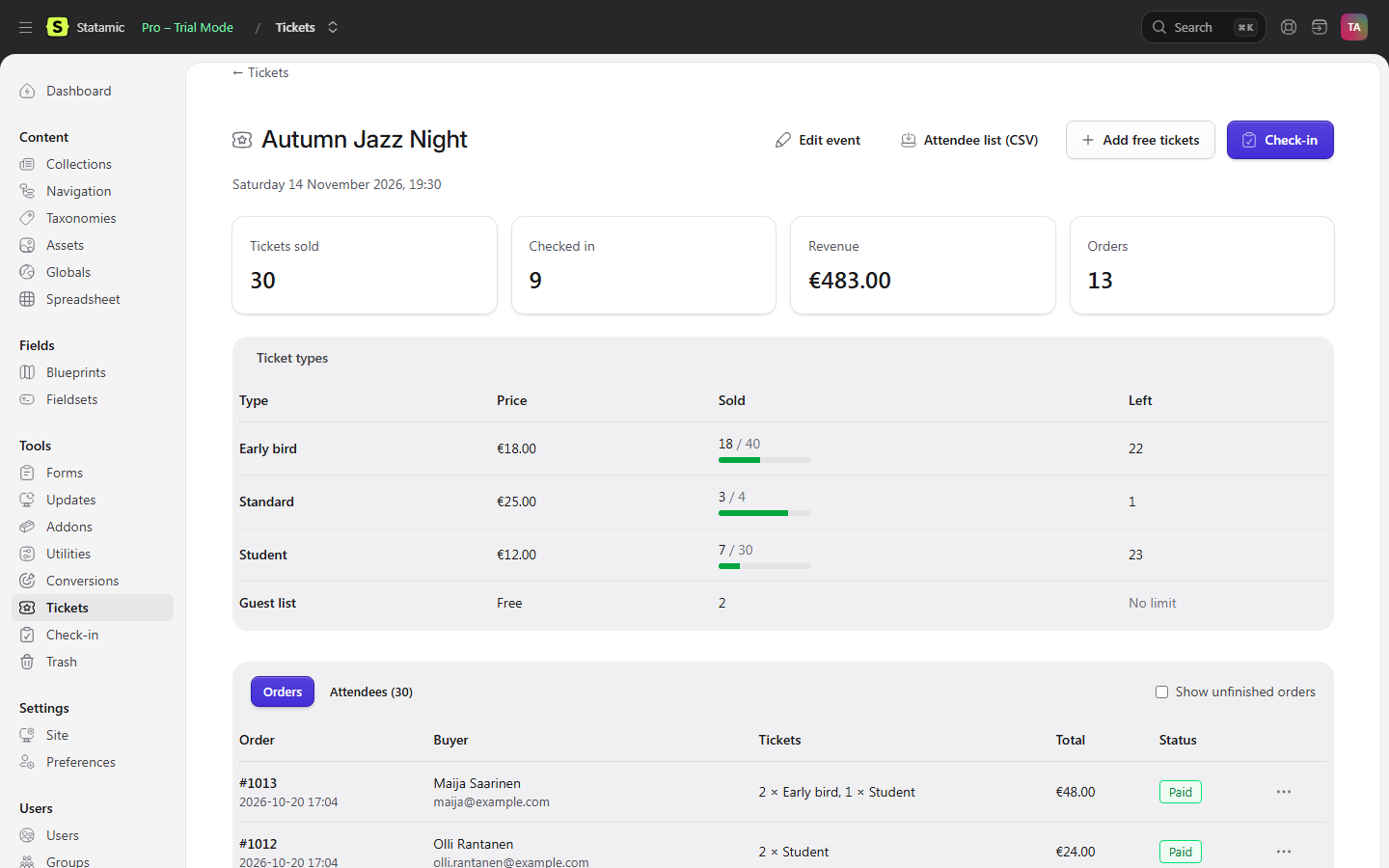
Sales per event and ticket type, orders, attendee list as CSV, refunds through Stripe, free tickets for guests and press, and a dashboard widget.
Pricing
| Licence | Price | Includes |
|---|---|---|
| One site | $99 | The addon for one production site, with a year of updates |
| Updates after the first year | $39 a year | Optional. The addon keeps working without it |
Bought on the Statamic Marketplace. Local, development and staging copies of your site need no licence, so you can try it with Stripe's test mode before you go live. Stripe's own card fees apply to your sales; the addon takes nothing per ticket.
Your Stripe account, your buyers
Payments go straight to your own Stripe account, card details never touch your site, and orders stay on your server. The addon takes no fee per ticket and never contacts us.
Good to know
- You need a Stripe account for paid tickets, and email set up in Laravel so the tickets can be sent.
- One currency per site. Seats are not numbered: it sells general admission tickets, by type.
- Prices are what the buyer pays. The addon adds no tax on top; set your prices accordingly.
- Camera scanning needs HTTPS and the browser's permission to use the camera. Typing the code always works.
- Orders are stored as files in your storage folder, so they work with flat-file sites. Back the folder up with the rest of the site.
Data and security
Karelia Tickets runs on your own Statamic server. Payments are taken by Stripe in your own account, orders stay on your server, and it never contacts us. The security page lists what is stored, for how long and which permissions are needed. The privacy policy and the EULA are public.