

Karelia Trash
A trash bin for the Statamic Control Panel
Statamic deletes for good. With Karelia Trash, a deleted page, image, term, global set or form submission goes to the trash first, and comes back with one click, in the same place it was.
Statamic 6Free to try locally
Listing on the Statamic Marketplace: coming soon.
What it does
In Statamic, delete means gone. An entry's revisions go with it, and on sites that keep content in a database there is no git history to fall back on. An editor who deleted the wrong page has to ask a developer to dig it out of a backup, if there is one.
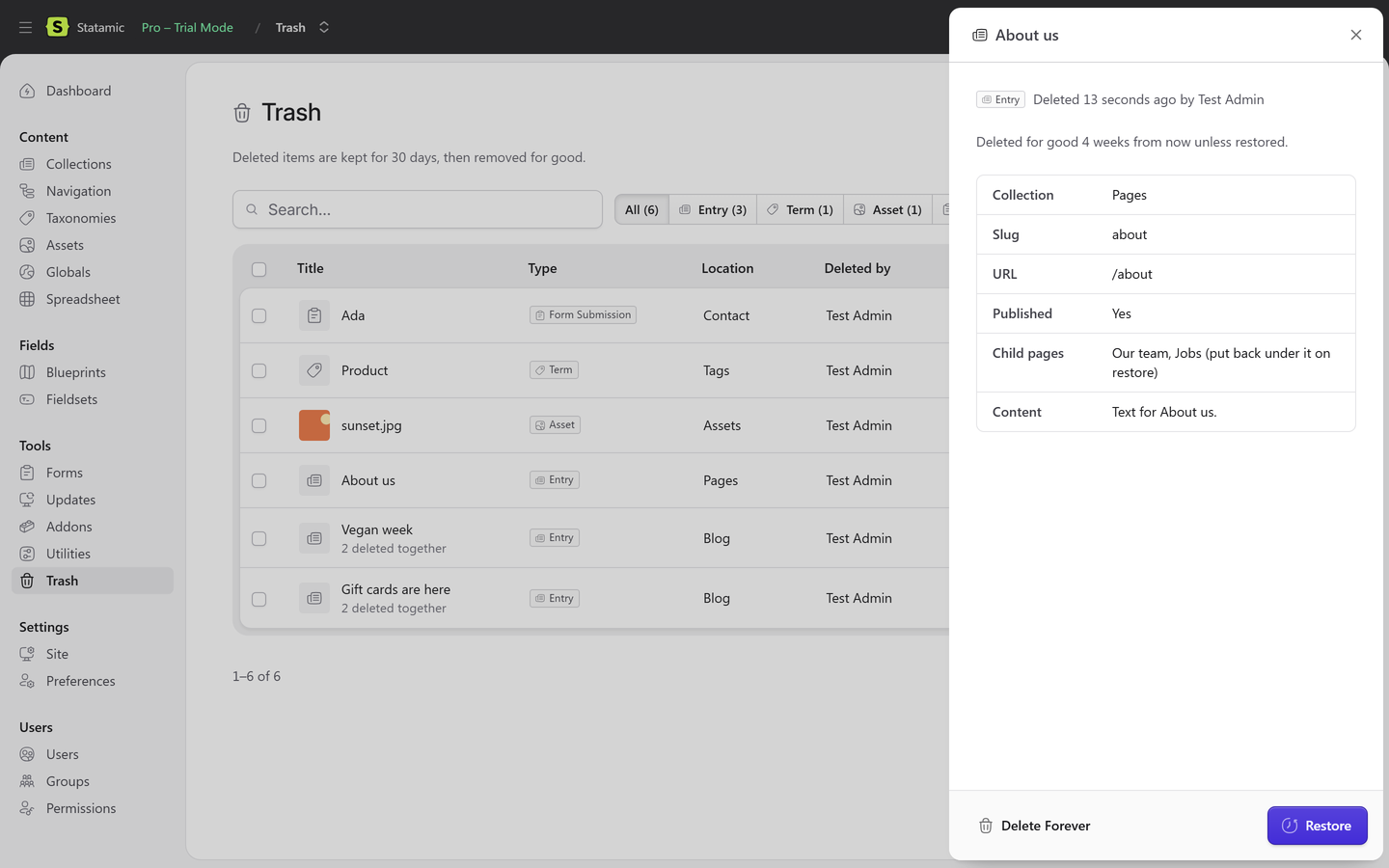
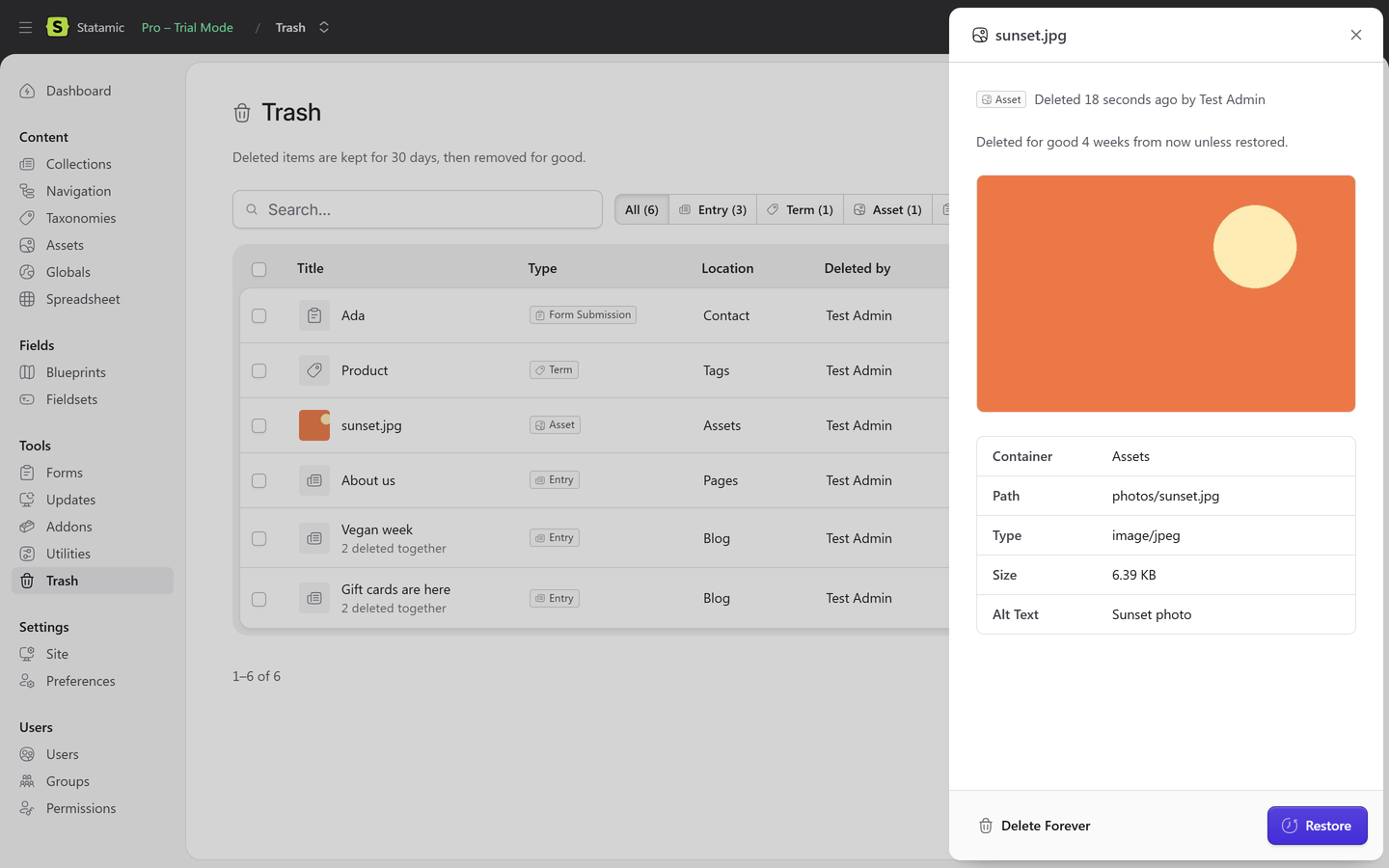
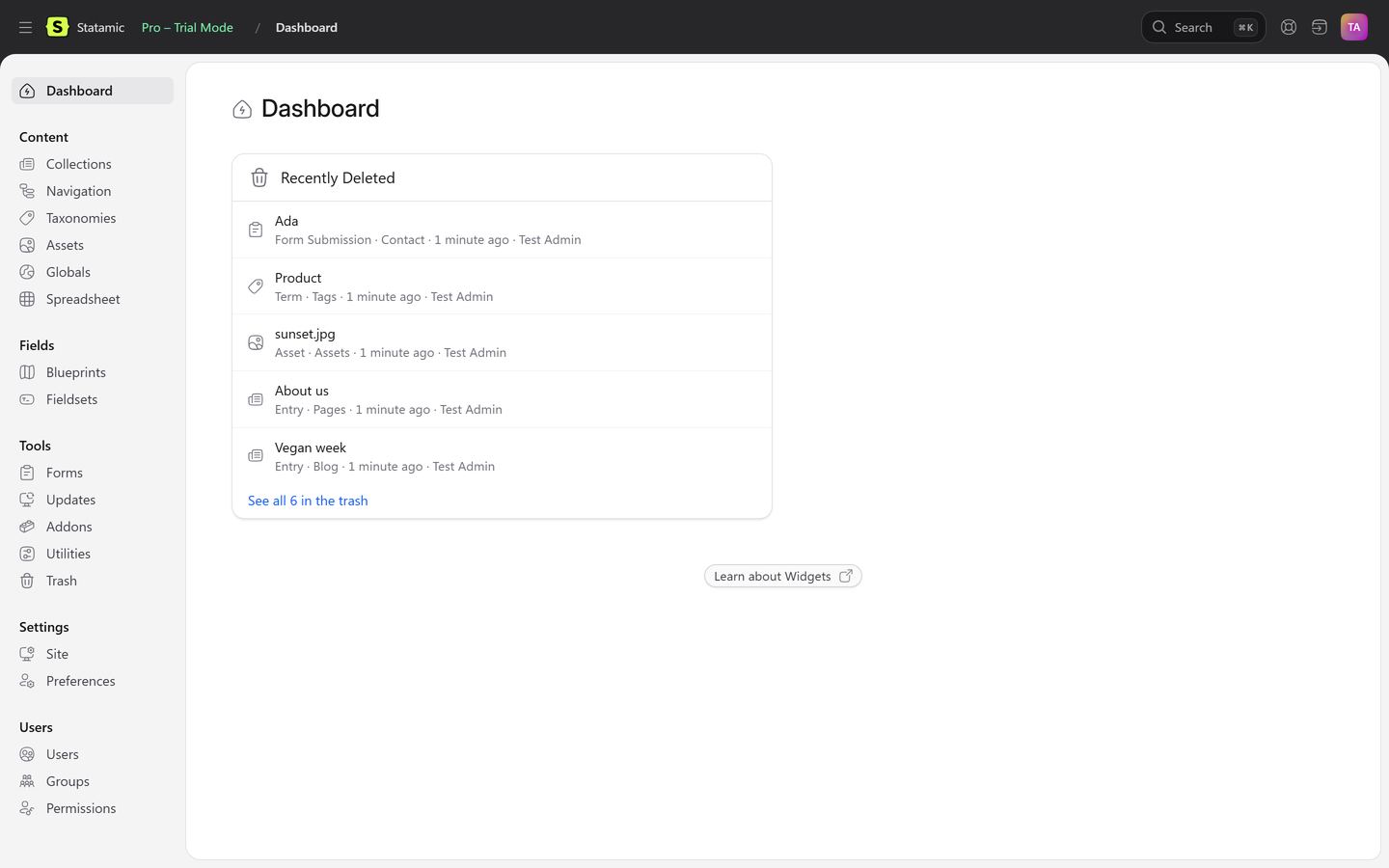
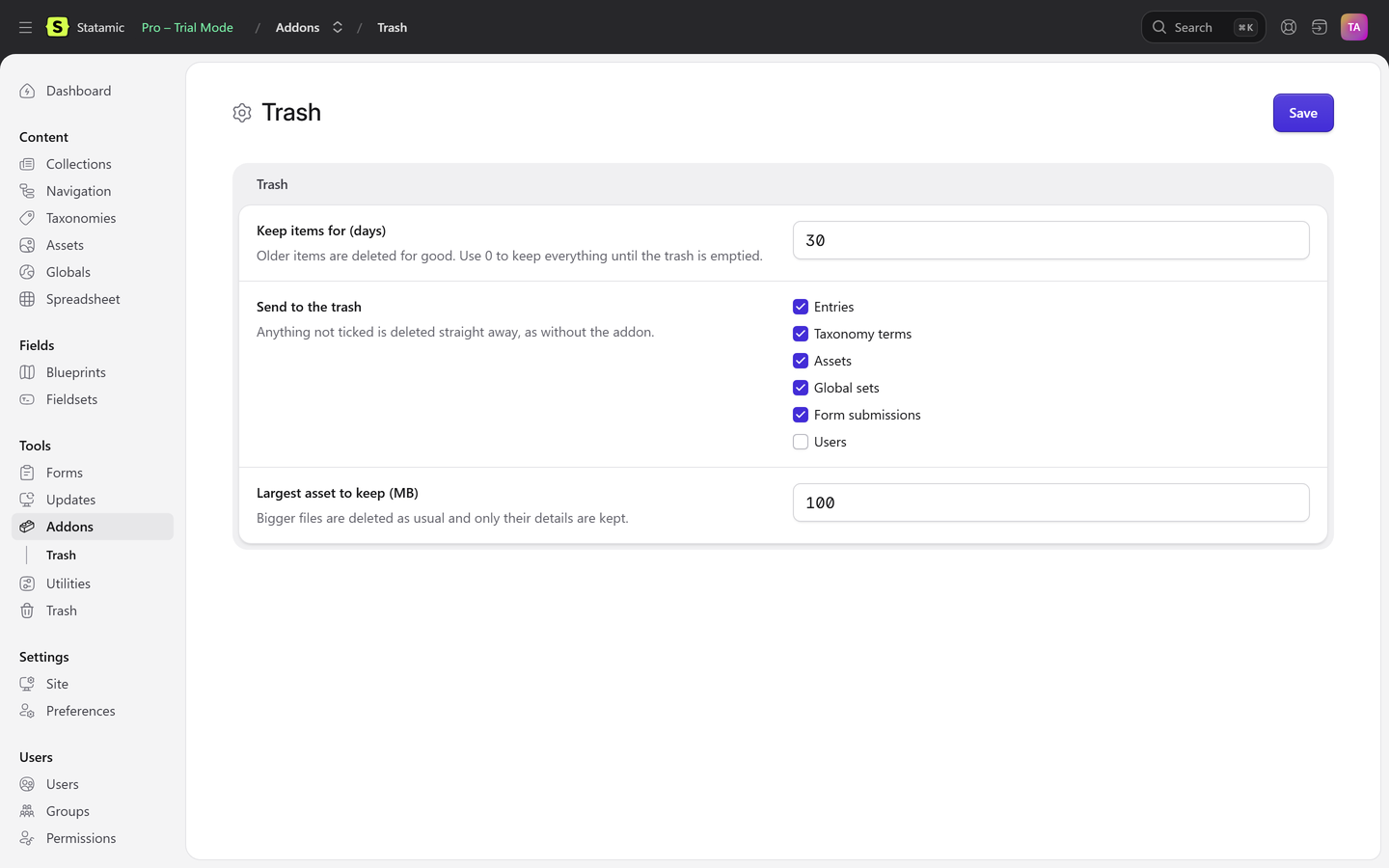
Karelia Trash keeps a copy of everything deleted in the Control Panel, in a trash under Tools. Anyone allowed to can preview it and put it back with one click: a page returns to the same place in the page tree, with its child pages, its translations and every field. Items are kept for 30 days, or as long as you choose, and then removed for good.
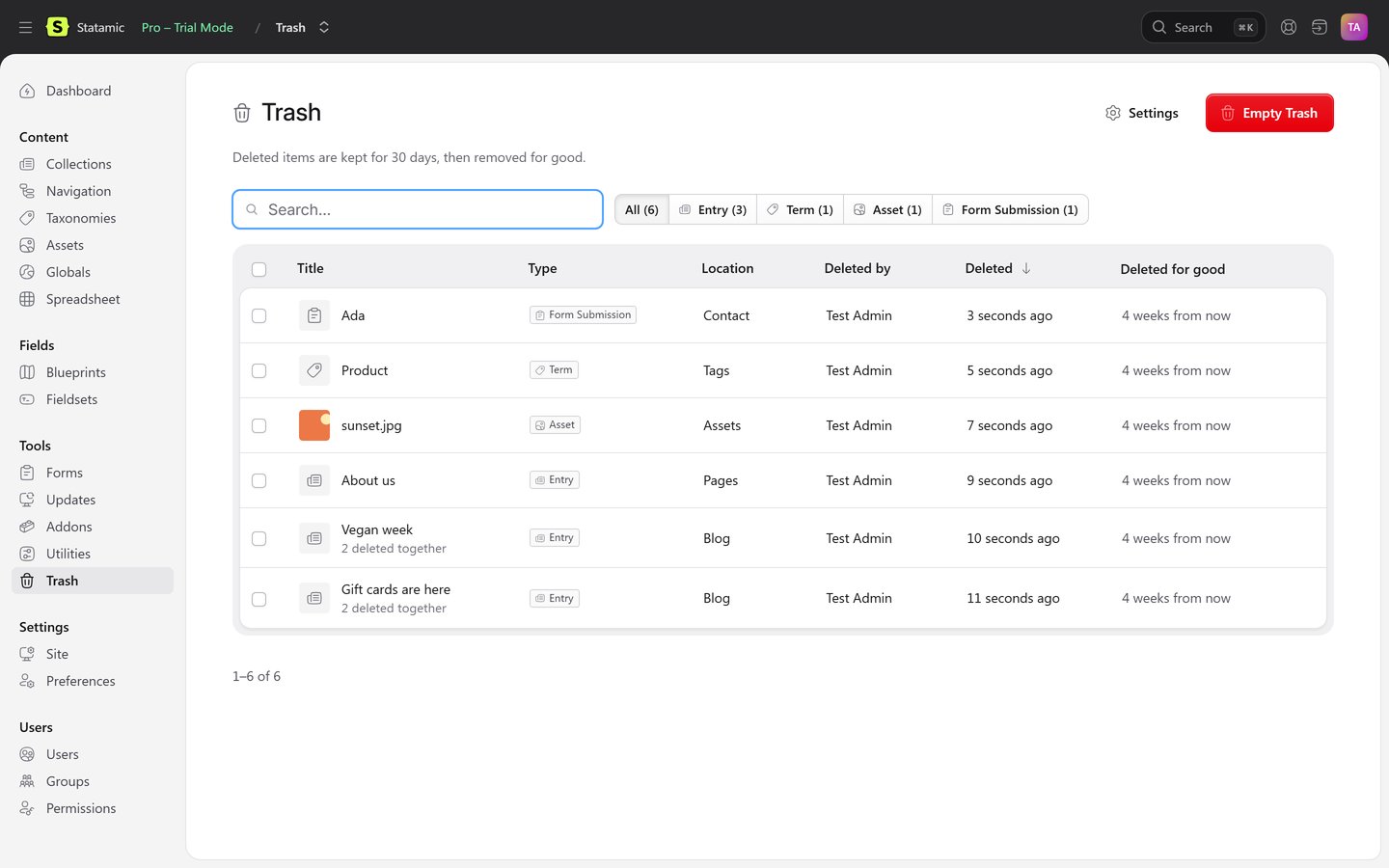
Everything the Control Panel can delete
Entries with their localizations, taxonomy terms in every site, assets with the file itself, global sets with all their values, form submissions and, if you switch it on, users.
Back where it was
A page returns to the same place in the page tree, with the child pages that Statamic moved up when it was deleted. Slug, date, publish state, blueprint and every field are kept.
Deleted together, restored together
An entry and its translations, or every asset in a deleted folder, are grouped and come back in one go. Restoring a translation brings back its original first.
Safe restores
Nothing is ever overwritten. A slug that has been taken since gets a number, and a file name in use gets -restored. The trash tells you about both.
Permissions that make sense
Users see only items they could see before they were deleted, and restoring needs the same right as creating that kind of item. Only a super admin can restore a super admin.
Keeps itself tidy
Items are removed for good after 30 days, or the period you choose, by the scheduler and whenever the trash is opened. Delete Forever and Empty Trash are there when you need them, and so are trash:list, trash:restore and trash:purge.
Pricing
| Licence | Price | Includes |
|---|---|---|
| One site | $39 | The addon for one production site, with a year of updates |
| Updates after the first year | $15 a year | Optional. The addon keeps working without it |
Bought on the Statamic Marketplace. Local, development and staging copies of your site need no licence, so you can try it for free before you go live.
Your server, nothing else
Karelia Trash keeps the copies on your own server (or the filesystem disk you choose) as plain JSON files and the original asset files. It needs no database, makes no network requests and never contacts us.
Good to know
- It keeps what is deleted through Statamic: the Control Panel, your own code or addons, or a collection being deleted. Files removed directly on disk or by git are not captured.
- It is not a revision history, which is Statamic Pro's job. It keeps the last saved version of what was deleted.
- Works with Statamic Core and Pro. Roles and permissions are a Pro feature, so on Core only the super admin uses the trash.
- Works with flat files and with the Eloquent driver, and with any Laravel filesystem disk, including S3 for sites on more than one server.
- Users are off by default. When they are on, passwords, passkeys and two-factor secrets are never kept, so a restored user sets a new password.
Data and security
Karelia Trash runs on your own Statamic server. It keeps copies of deleted items on a disk you choose, sends nothing anywhere and never contacts us. The security page lists what is stored, for how long and which permissions are needed. The privacy policy and the EULA are public.